Copy. Transform. Paste.
The invisible AI companion for your desktop. Turbocharge your productivity with native, keyboard-first AI capabilities across your entire OS—completely free.
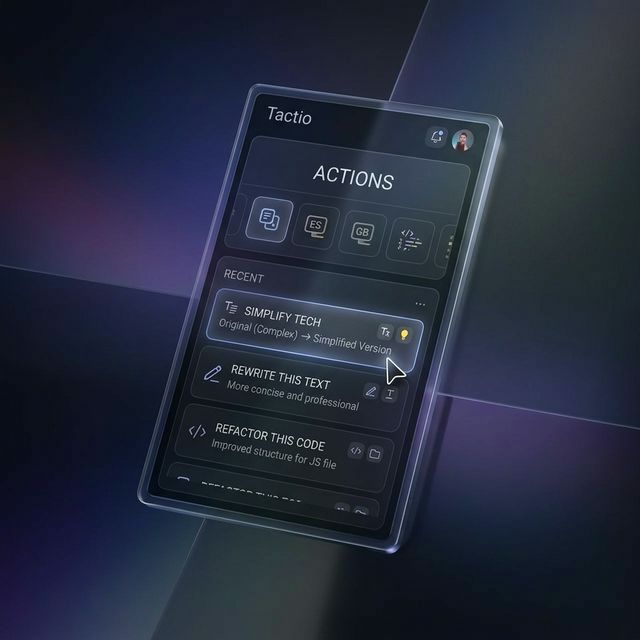
The invisible AI companion for your desktop. Turbocharge your productivity with native, keyboard-first AI capabilities across your entire OS—completely free.
Tactio integrates seamlessly into your workflow, providing powerful AI transformations without the context switching.
Trigger Tactio instantly from anywhere with Ctrl+Shift+G. No more switching apps.
Tactio automatically reads your clipboard content and offers relevant AI actions.
After transformation, Tactio injects the result back into your active application instantly.
Use Gemini, OpenRouter, Groq, or OpenAI. Leverage free tiers for zero-cost AI.
Browse community prompts and install them with a single click from our curated catalog.
Track your transformations and automatically save results as Markdown for your knowledge base.
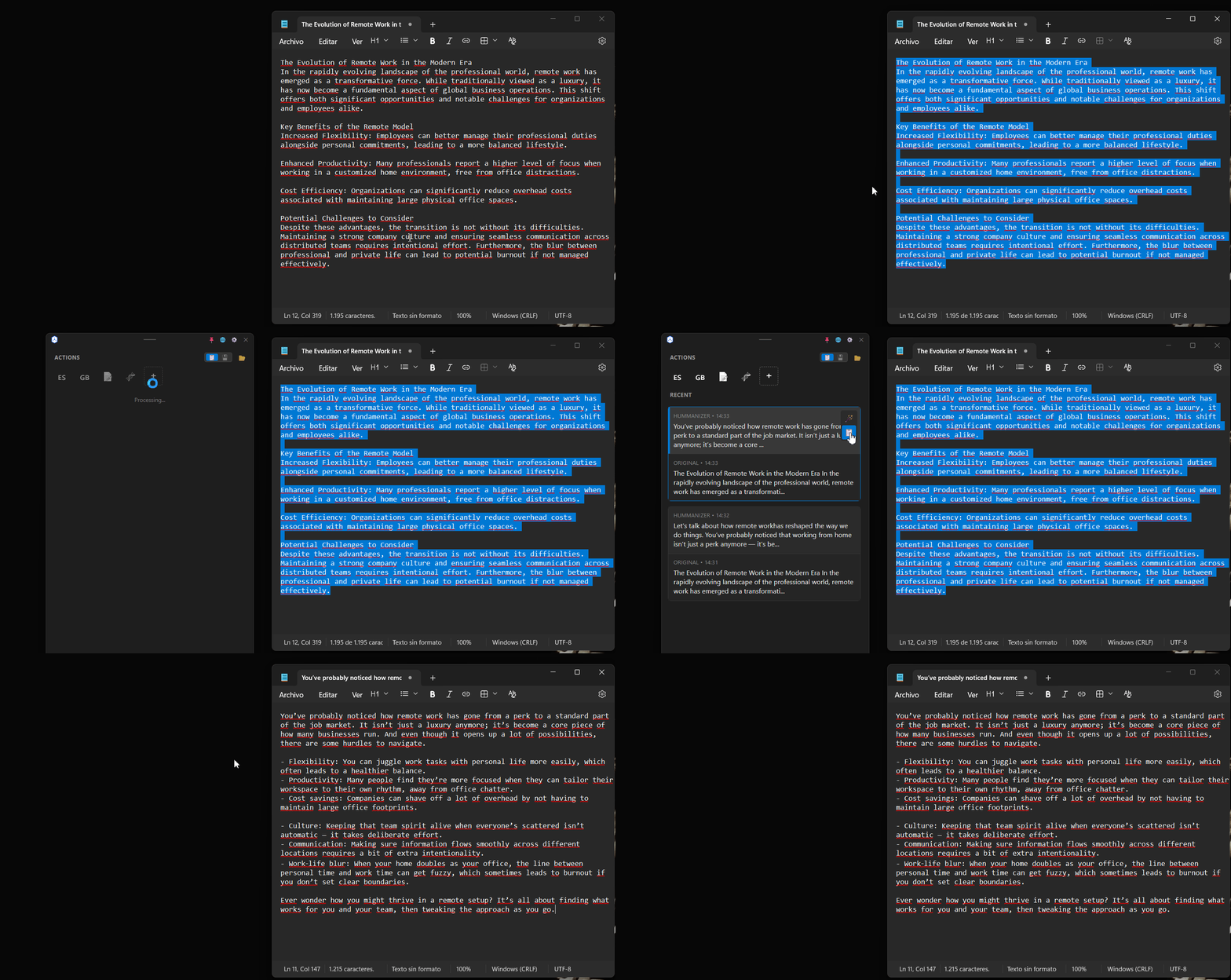
Select any text in any application and copy it to your clipboard.
Press Ctrl+Shift+G to bring up the floating AI menu right at your cursor.
Select an action or type a custom prompt. Tactio does the magic.
Download Tactio for free and start using AI superpowers today.
Requires Windows 10/11 & Node.js 18+